
How to Download Reddit Gallery Images at Once
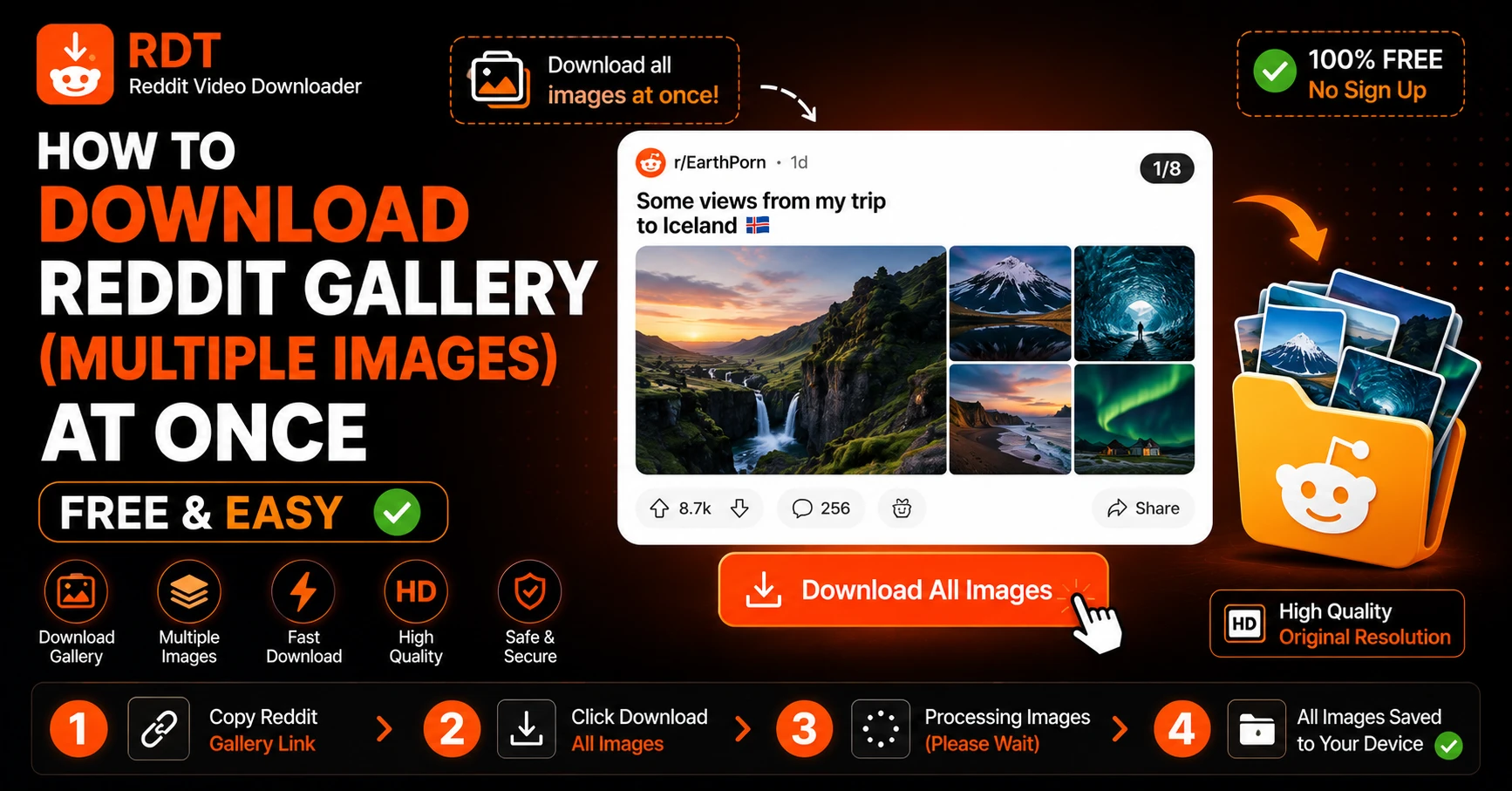
Reddit galleries are one of those features that sneak up on you. You’re scrolling through your feed, you tap on a post — and suddenly you’re swiping through 15 incredible photos of someone’s hiking trip, a stunning photography collection, a detailed step-by-step DIY project, or a hilarious 12-part meme series. And then you think: I want to save all of these. That’s where Reddit lets you down. Hard.
Reddit’s own app and website have no “Download All” button for gallery posts. You’d have to save each image individually — tapping, downloading, going back, tapping the next one, downloading again. For a 20-image gallery, that’s 20 separate steps. For a 50-image gallery? Good luck.
Fortunately, there’s a much smarter way to do this. In this guide, you’ll learn exactly how to download an entire Reddit gallery — all images, in full quality, in one go — on any device, for free, in under a minute.
Let’s get into it.
What Is a Reddit Gallery Post?
Before we dive into the how-to, here’s a quick primer for anyone who’s new to this feature.
Reddit introduced Gallery posts in 2020, allowing users to share multiple images or videos within a single Reddit post. Instead of creating several separate posts, a user can bundle up to 20 images (sometimes more in certain subreddits) into one swipeable gallery.
You’ll find gallery posts all over Reddit — especially in communities like:
- r/EarthPorn — breathtaking landscape photography
- r/HistoryPorn — rare historical photographs
- r/DIY — step-by-step project walkthroughs
- r/interestingasfuck — infographic collections and visual explainers
- r/mildlyinteresting — multi-image discoveries
- r/food — recipe photos and restaurant spreads
- r/Wellthatsucks — multi-stage disaster documentation (you know the ones)
Gallery posts look slightly different from regular image posts — you’ll notice a small image counter like “1/12” or a swipe indicator at the edge of the preview image.
The problem is that Reddit built galleries for viewing, not saving. Which brings us to the main event.
Why You Can’t Just “Save All” from Reddit
It seems like such an obvious feature. Multi-image gallery → “Download All” button. Why doesn’t Reddit have this?
The honest answer is that Reddit has never prioritized download functionality for users. Their platform is built around engagement — scrolling, commenting, upvoting — not archiving content. Even for single images, Reddit’s app doesn’t have a proper save-to-device button; it uses a “Share” flow that often just copies a link.
For galleries specifically:
- The Reddit app lets you save individual images one at a time by tapping the “…” menu on each photo — but there’s no bulk download option
- Reddit on desktop lets you right-click individual images to save them, again one at a time
- No official Reddit tool exists for downloading an entire gallery at once
So if you want all the images from a Reddit gallery without spending 10 minutes doing it manually, you need an external tool.
That’s exactly what RDT Video Downloader handles — and it works brilliantly for gallery posts.
How to Download an Entire Reddit Gallery at Once
Here’s the complete process, step by step. This works on desktop, Android, and iPhone.
Step 1: Open the Reddit Gallery Post and Copy the URL
Navigate to the Reddit gallery post you want to download. You can do this through the Reddit app or in a web browser.
On the Reddit app (iPhone or Android): Tap the Share button below the post — it looks like an arrow pointing upward or a curved arrow depending on your app version. From the Share menu, tap Copy Link.
On Reddit in a browser (desktop or mobile): Copy the URL directly from your browser’s address bar. Make sure you’re on the actual post page, not a preview card.
The URL should look like this: https://www.reddit.com/r/EarthPorn/comments/xxxxxx/title-of-the-gallery-post/
That’s the only thing you need.
Step 2: Open RDT Video Downloader
Open your browser and go to rdtvideodownloader.com.
RDT is a free, browser-based tool — no account required, no app to install, no subscription. It works on every device with a web browser: Windows PC, Mac, iPhone, iPad, Android phone, Android tablet — everything.
The interface is clean and simple: one input box, one button.
Step 3: Paste the Gallery URL and Click “Get Video”
Tap or click the input field on RDT’s homepage and paste the Reddit gallery URL you copied. Then click or tap Get Video.
Don’t let the button label confuse you — RDT handles gallery image posts just as well as it handles video posts. The tool detects that the link is a gallery and processes it accordingly.
Within a couple of seconds, RDT will:
- Identify all images in the gallery
- Load them in their original, full-resolution quality
- Present them to you for individual download or bulk download
Step 4: Download All Images at Once
This is the part that makes RDT genuinely useful for galleries.
Once RDT processes the post, you’ll see all gallery images displayed with download buttons. You have two options:
Option A — Download All as ZIP: Click the Download All or Download as ZIP button if available. This bundles every image in the gallery into a single ZIP file and downloads it in one go. Open the ZIP on your device to access all the individual photos.
Option B — Download Images Individually: If you only want specific photos from the gallery, you can pick and choose — downloading just the ones you want instead of the entire set.
For most people, the ZIP download is the way to go. One click, all photos, done.
How to Download Reddit Gallery Images on iPhone
iPhone needs a slightly different approach because of how iOS handles file downloads. Here’s exactly what to do:
- In the Reddit app, find your gallery post and tap Share → Copy Link
- Open Safari — this is important; use Safari, not Chrome
- Go to rdtvideodownloader.com
- Paste the URL and tap Get Video
- When the download options appear, tap and hold the download button
- Tap “Download Linked File” from the popup menu
- The ZIP file (or individual images) will save to your Files app → On My iPhone → Downloads
To access your photos after downloading:
- Open the Files app
- Navigate to On My iPhone → Downloads
- Find the ZIP file and tap it — iOS will automatically unzip it and show you the images
- To move photos to your Camera Roll: tap an image → tap the Share icon → tap Save Image
How to Download Reddit Gallery Images on Android
Android handles this much more smoothly:
- Open Reddit and find the gallery post
- Tap Share → Copy Link
- Open Chrome (or any browser) and go to rdtvideodownloader.com
- Paste the URL and tap Get Video
- Tap Download All to get the ZIP, or tap individual image download buttons
- Files save to your Downloads folder
Open the ZIP using your file manager app to access the images, or move them to your Gallery.
How to Download Reddit Gallery Images on PC or Mac
Desktop is the easiest experience of all:
- Open the Reddit gallery post in your browser
- Copy the URL from the address bar
- Open a new tab and go to rdtvideodownloader.com
- Paste the URL and click Get Video
- Click Download All / Download ZIP
- The ZIP saves to your Downloads folder
On Windows, right-click the ZIP and select Extract All to unzip. On Mac, just double-click the ZIP file and it extracts automatically. All images will be in their original full resolution.
What Kind of Content Can You Save from Reddit Galleries?
Reddit gallery posts cover an enormous range of content, and RDT handles them all. Here are some of the most popular use cases:
Photography Collections Subreddits like r/EarthPorn, r/CityPorn, r/ArchitecturePorn, and r/NatureIsFuckingLit frequently feature gallery posts with stunning multi-image photography sets. These are the kinds of photos people want as wallpapers or to share offline.
DIY and Tutorial Posts Step-by-step projects on r/DIY, r/woodworking, r/restorethings, and similar communities often use galleries to show each stage of a build or repair. Saving the full gallery lets you reference the steps without needing an internet connection.
Historical Photo Collections r/HistoryPorn and r/OldSchoolCool regularly feature galleries of rare historical photographs. Archiving these is a popular use case for researchers, educators, and history enthusiasts.
Before and After Posts Transformation posts — home renovations, fitness journeys, art progress — always come in galleries. Users save these for inspiration boards and reference.
Meme and Comic Series Multi-part meme series and webcomic reposts are common on r/memes, r/dankmemes, and countless other communities. Sometimes you just need all 8 panels to share the full joke.
Art and Illustration Showcases Artists frequently post their work in galleries on r/Art, r/drawing, r/ImaginaryLandscapes, and similar communities. Saving the full gallery preserves the complete showcase.
Can You Download Reddit Gallery Videos Too?
Yes. Reddit galleries can include a mix of images and short video clips in the same post. RDT handles both types within the same gallery download.
For gallery videos, RDT applies the same audio-merging process it uses for regular Reddit videos — so any video clips within a gallery will download with full audio included, not as silent MP4s.
This is one area where most Reddit gallery downloaders fall short. They handle images fine, but gallery videos often come out silent or fail entirely. RDT processes both correctly.
Saving Reddit Gallery Images vs. Screenshotting — Why It Matters
Some people just screenshot Reddit gallery images instead of downloading them. It works, technically, but there are real downsides:
Quality loss: Screenshots capture what’s displayed on your screen — which is a compressed, display-resolution version of the image. The actual Reddit image is often significantly higher resolution. A screenshot of a 4000×3000px photo taken on a 1080p screen is just a 1080px capture.
Cropped frames: Screenshots include your status bar, browser chrome, and Reddit’s UI elements around the image. Downloading gives you a clean, full-bleed image.
Time: Screenshotting a 20-image gallery means 20 screenshots, plus cropping each one. Downloading the whole gallery as a ZIP takes one click.
Storage waste: Screenshots are often saved as PNG files, which are larger than properly compressed JPEGs. Downloaded images from Reddit are in their original optimized format.
The download is always better. Screenshots are a last resort.
Is It Safe to Use RDT Video Downloader for Gallery Downloads?
Completely. Here’s what you should know about privacy and safety when using RDT:
- No account required — you never enter personal information
- No URL logging — RDT does not store or track the Reddit URLs you submit
- No malware — files come directly from Reddit’s own servers, not from a third-party source
- No watermarks — downloaded images are clean originals, not branded with RDT’s logo
- HTTPS secure — your connection to RDT is encrypted
The tool is simply acting as a bridge between you and Reddit’s servers — fetching and packaging the files Reddit already hosts publicly. There’s nothing sketchy happening in the background.
A Note on Copyright and Responsible Downloading
When you download Reddit gallery posts, you’re saving content that was created by someone else. Most of the time, people download content for personal use — offline viewing, reference, inspiration boards, archiving — and that’s generally fine.
However, there are a few things worth keeping in mind:
- Don’t repost downloaded content as your own without crediting the original creator
- Don’t sell downloaded images or videos from Reddit
- Respect watermarks — if a photographer or artist has watermarked their work, removing that watermark before sharing is a copyright violation
- Private subreddits exist behind paywalls or approval gates for a reason — RDT only works with publicly accessible posts
Downloading for personal use is one thing. Redistributing someone else’s gallery as your own content is another. Be a decent person about it.
Frequently Asked Questions
Summary
Reddit galleries are fantastic for sharing and discovering visual content — but Reddit’s own tools make saving that content needlessly difficult. No “Download All” button, no bulk save, just endless individual taps.
RDT Video Downloader fixes that completely. Here’s the whole process one more time:
- Copy the Reddit gallery post URL
- Go to rdtvideodownloader.com
- Paste the URL and click Get Video
- Download All images as a ZIP — or pick specific ones individually
Full resolution, no watermarks, no account, no cost. Works on iPhone, Android, PC, and Mac.
The next time you land on a Reddit gallery you want to keep, you know exactly what to do.
Try Our Reddit Downloader
Download any Reddit video with sound in high definition. Fast, free, and no registration required.
Download NowRecommended Guides
Reddit to MP4 — How to Convert and Download Any Reddit Video (2026)
Let us be completely honest with you. Searching for a reliable Reddit to MP4 converter in 2026 is more frustrating than it should be. Half the tools you find are covered in fake download buttons designed to trick you into clicking ads. The other half download the video but leave out the audio entirely — […]
How to Download Reddit Videos in 1080p HD Quality (2026)
Let us be completely honest with you. Most people who download Reddit videos end up with a low-quality, silent MP4 that looks like it was filmed through a foggy window. Either the tool they used only grabbed a compressed version, or they got the video without audio, or both. If you found a stunning slow-motion […]